19/10/2026 21:35
Need the Measuring Guide Mid-Demo? YouTube Info Cards for Cambodian Mosquito-Screen Shops

A shopper watching a mosquito-screen demonstration may understand how the frame lifts out but still wonder whether it fits their window. Sending that viewer to a general channel page leaves them with another search. A relevant YouTube info card can offer a more direct route to a separate measuring lesson at the moment the question arises. For Cambodian workshops promoting custom screens, this is a practical way to organize information before spending more effort on distribution. The objective is a clear viewing journey: understand the product, find the appropriate instructions, and contact the shop with useful details. This workflow explains how to choose the destination, time the invitation, check the result and keep SMM service claims separate from evidence of customer interest.
1. Identify the question that interrupts the demonstration
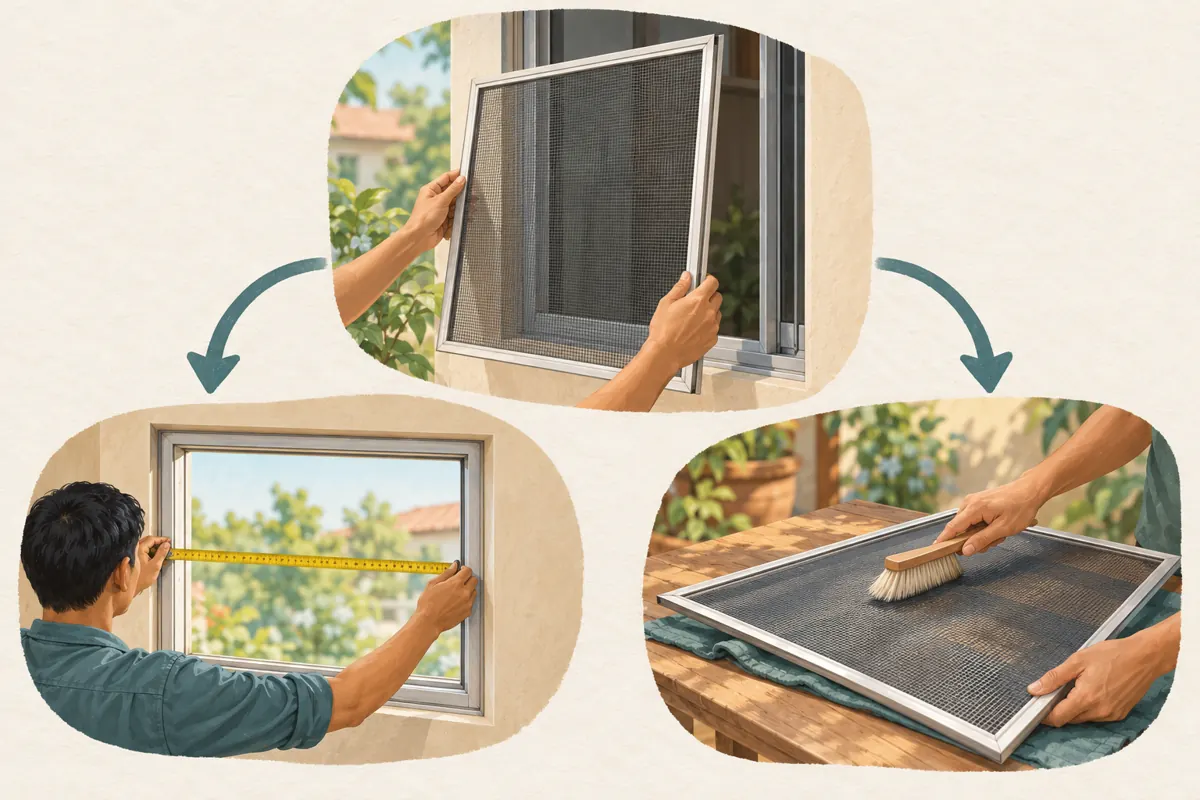
Start with a specific uncertainty rather than a list of videos you want to promote. In a hypothetical Phnom Penh mosquito-screen workshop, the main demonstration shows a removable aluminium frame. When the presenter holds it beside the window, a viewer might ask whether to measure the opening, the existing frame or the surrounding wall. That is a meaningful reason to offer another lesson.
Write that question in the planning notes, then decide whether the current video must answer it immediately. Information essential to understanding the demonstration belongs in the demonstration itself. A card is better suited to an optional explanation that would otherwise interrupt the main sequence. Someone who already has measurements should still be able to follow the product video without taking the detour.
2. Choose one destination that fulfils the invitation
Watch the proposed measuring guide from beginning to end. Check that it covers the same screen system, names the measurement units clearly and distinguishes preliminary customer measurements from any final workshop verification. A lesson for a sliding assembly may confuse someone considering a removable frame, even when both products look similar in a small thumbnail.
For the hypothetical workshop, the first card should lead to one focused measuring lesson. A broader collection becomes useful only when viewers genuinely need to choose among several frame types. Avoid sending everyone to the shop's newest upload simply because it needs attention. The destination should earn its place by answering the question raised in the original demonstration.
Also review its commercial details. An otherwise useful lesson may contain an expired offer, an old contact route or an installation promise the shop no longer honours.
3. Check what the feature supports
YouTube's official help explains that info cards can point to a public video, public playlist, channel or eligible external link. A video can have up to five cards. Cards are unavailable on content designated made for kids, and external website cards require membership in the YouTube Partner Program. This workflow uses a public video destination.
Treat the maximum as a technical limit, not an editorial target. One useful invitation is enough for a short, focused product explanation. Adding several alternatives can make the workshop's priorities harder to understand.
Do not change an audience designation simply to obtain a feature. If a card is unavailable, make the spoken explanation self-contained and give the measuring lesson a distinctive, searchable title. The product video should remain understandable without any interactive element.
4. Place the cue at a calm decision point
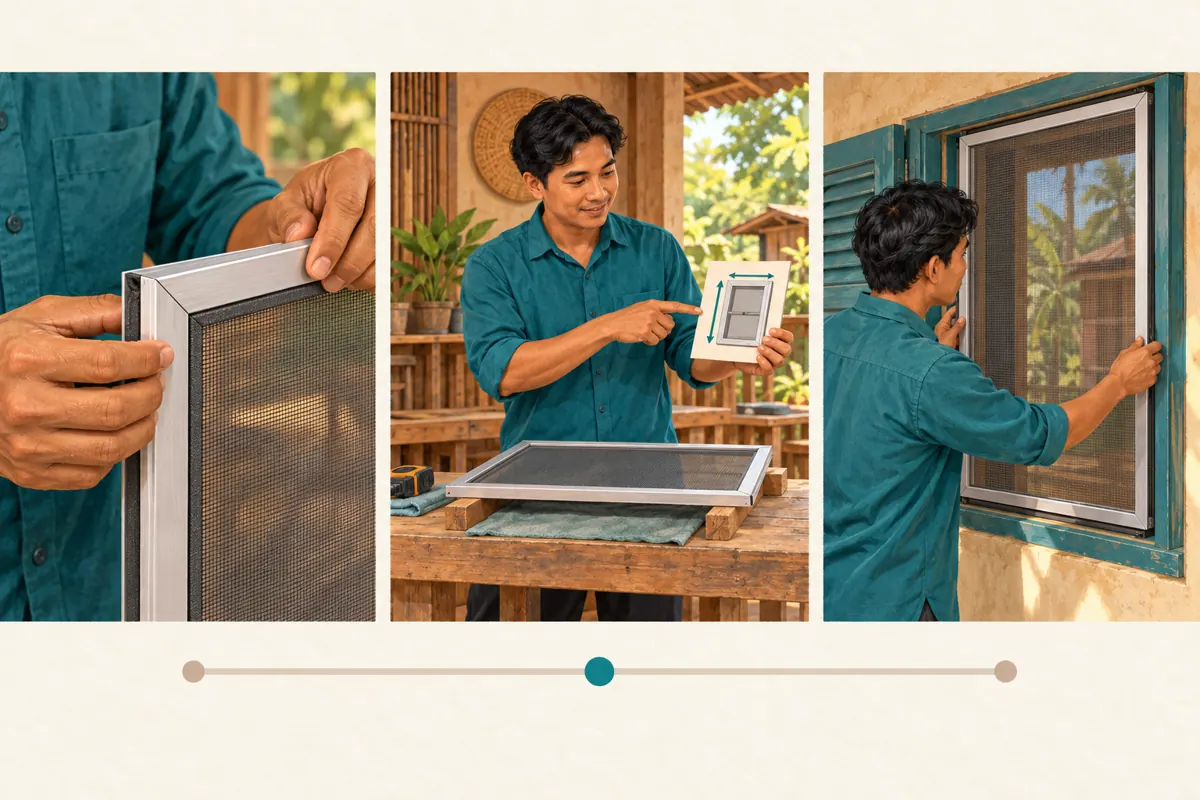
Review the demonstration for the moment when the viewer understands what the screen does but has not yet been asked to judge whether it suits their window. In the hypothetical example, that could be a pause after showing the frame corner. The presenter rests the frame securely and briefly mentions the separate measuring guide before continuing.
Do not place the invitation over a delicate removal step or the only close-up of an important fitting. Asking viewers to navigate elsewhere while they are trying to follow a movement creates competing tasks. Finish the movement first.
Use a spoken cue that describes the benefit without pressure: viewers who need help identifying the measurement points can consult the separate guide. Avoid implying that opening the guide confirms compatibility. The workshop still needs enough information to assess the actual window.
5. Add the card and verify the selected video
On a computer, open YouTube Studio, select Content, choose the source video and enter Editor. Open Info cards, choose the card type and select the destination. Set its start time, add suitable optional message or teaser text, then save. These steps follow YouTube's official info-card instructions.
Before saving, check the destination by its content, not just a familiar thumbnail. Workshops often have similar-looking uploads for different frame systems. Keep the source title and destination title together in the review note so another staff member can understand the connection.
After saving, reopen the source video and follow the route yourself. Confirm that the intended lesson opens and that its first explanation matches the invitation. Record the chosen moment in the video and the reason for it. This makes a later adjustment an informed editorial decision rather than guesswork.
6. Make the route usable for Cambodian customers
Match the spoken invitation to the language of the destination. A Khmer demonstration leading unexpectedly to an English-only technical lesson may leave the original question unresolved. If the supporting lesson uses another language, make that clear before asking viewers to open it. Have a fluent colleague review the terminology used for the frame, opening and measurement points.
Demonstrate units explicitly and avoid switching between them without explanation. The business should decide which units it requests for preliminary enquiries and use them consistently across the video and reply instructions. This is an operational choice, not a claim that every Cambodian customer measures the same way.
Test the viewing route on the devices your team actually uses to assist customers. Check legibility, sound and destination relevance. Keep a plain-language reference to the lesson in the description as a backup, and test that reference separately.
7. Give the measuring lesson a useful next step
The destination should help a viewer prepare an enquiry without pretending that a video can approve every installation. For the hypothetical shop, useful preliminary information might include the window type, clearly labelled measurements and a photograph showing the surrounding frame. Explain which details staff need before suggesting an option.
Ask customers to send home photographs and contact details through the shop's designated private enquiry route rather than public comments. A public question about the measuring method can help other viewers; a photograph revealing someone's address usually does not need a public audience.
Separate service-area confirmation from product suitability. Someone outside the workshop's normal installation area may still understand the demonstration perfectly. Staff should explain whether collection, delivery or installation is available for that enquiry, using current business information rather than assumptions embedded in an older video.
8. Apply a separate decision to SMM panel listings
An info card is a navigation feature, not a panel service. The supplied top-smm.com catalogue includes the exact listing “YouTube - Auto Likes ~ Japan”. Its title identifies an auto-likes offering, but the supplied description is empty. That is insufficient to establish its delivery method, audience origin, policy compliance or relevance to Cambodian homeowners. The geographic wording is not verified audience evidence.
YouTube prohibits artificial increases in engagement and warns that a hired promoter's methods can affect the channel. Its fake engagement policy also identifies misleadingly labelled info cards as an unacceptable way to trick viewers into another video. Review both the promotional method and the accuracy of the invitation before proceeding.
For this workflow, do not buy artificial engagement. If a proposed service cannot substantiate how it operates, leave it out of the promotion plan. Purchased engagement does not demonstrate genuine interest, sales, advertising delivery or Cambodian users, and it cannot validate the usefulness of the measuring route.
9. Review understanding rather than celebrating a larger total
Set a modest review question before sharing the improved demonstration: can viewers find the appropriate measuring lesson, and does that lesson help them ask a clearer question? A colleague's navigation test establishes basic usability. Actual enquiries can reveal whether the explanation leaves people unsure about a particular measurement point.
Keep observations specific. In a hypothetical review, staff might notice that customers still confuse the opening width with the outside frame width. That suggests revising the lesson's explanation or image. It does not automatically mean the card appeared at the wrong moment.
Record any changes to the source video, destination or distribution during the review period. A change in overall views cannot by itself establish what caused it. Likewise, an enquiry received after a video update is not proof that the card produced it. Use customer feedback where available and label uncertainty honestly.
10. Avoid common mistakes and maintain the route
A frequent mistake is promising a measuring guide but linking to a general sales presentation. Another is placing every available card into one demonstration, leaving the viewer to choose among loosely related destinations. Start with the clearest unresolved question and remove routes that do not answer it.
A quieter failure happens later: the destination still opens, but its advice no longer matches the screen system being sold. Assign someone to recheck connected lessons whenever the workshop changes its product range, measurement requirements or enquiry process. Review the entire route, including the spoken invitation, rather than checking only that a link exists.
If a replacement lesson is needed, update the card and test it again before sharing the source video more widely. Keep a short change note explaining what was replaced and why. The useful outcome is a dependable path to relevant information, followed by a realistic conversation about the customer's window.

Frequently asked questions
Should the measuring guide be part of the main video instead?
Yes, if viewers cannot understand the main demonstration without it. Keep essential explanations in the source video. Use a separate lesson when measuring is a substantial optional task that some viewers need and others have already completed. The card should offer depth without making the source incomplete.
Is one card enough for a workshop with several products?
One can be enough for a demonstration about one screen system. Organize around the viewer's immediate question rather than the size of the catalogue. If several product types need different measuring methods, first make their differences clear so viewers can identify the relevant lesson.
What if the customer cannot find the card?
Give the supporting lesson a distinctive title and include a checked reference in the source description. Staff can also share the correct lesson when answering an enquiry. Ask where the customer got stuck before assuming a technical fault; the invitation or destination title may simply be unclear.
Can the shop use likes to decide whether the measuring guide works?
Likes alone cannot show whether someone measured the correct part of a window. Review genuine questions and ask whether the instructions resolved the confusion. Purchased likes are especially unsuitable as evidence of comprehension or local demand. Keep any service records separate from conclusions about customer learning.
How often should the shop check the connected videos?
Recheck them whenever a relevant product, instruction or contact process changes, and before a renewed promotional push. A routine periodic review can catch neglected links, but operational changes are the stronger trigger. Test both the destination and whether its advice still fulfils the original invitation.
Explore the current service catalogue, create an account, or ask a specific question through support tickets.
Prepared with AI assistance. Illustrations explain the workflow and do not represent customer results.